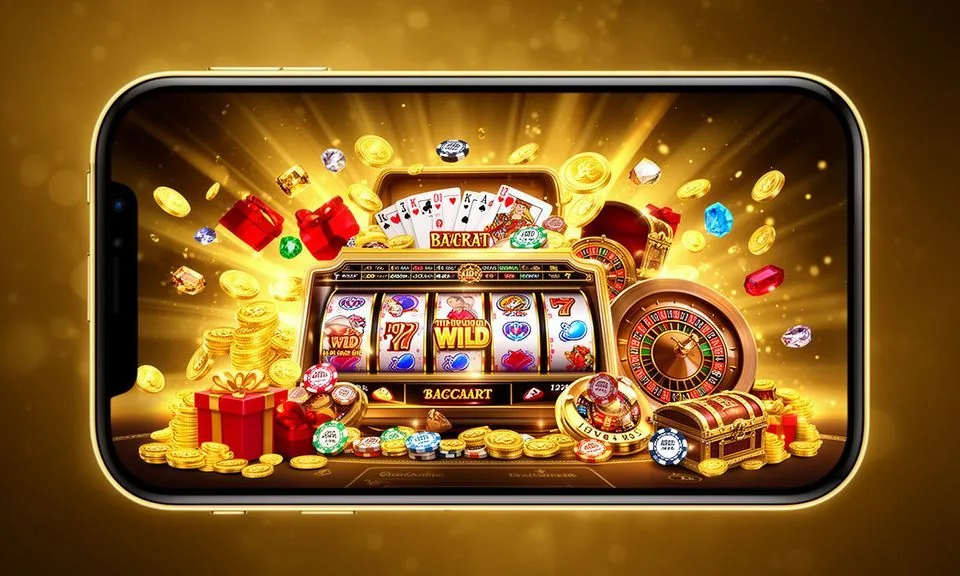
The uuok0 lobby is built to run in your mobile browser without needing a separate install — open the site, sign in, and your account, game rooms and wallet are right there. Check the current domain for any published app build; what's verified is responsive browser access for supported Bangladesh regions.
When you open uuok0 in a mobile browser, the layout adjusts to your screen without you doing anything extra. The navigation bar stays accessible at the top, and game discovery — whether you're browsing slots like Spinner Star or heading to the live table section for Baccarat LightFlash — works through the same menu you'd use on desktop. Your account page shows your wallet balance, transaction history and any active account settings.
BROWSER FEATURE SNAPSHOT
Mobile Access Features Worth Knowing
These are the confirmed page-level behaviours you can rely on when you access the uuok0 lobby from a mobile device. Each point reflects what the responsive layout delivers — no unverified claims about offline modes or native-store distribution are included here.
Responsive Navigation
The site menu collapses into a mobile-friendly format so you can move between game categories, your account page and help sections without scrolling through desktop-style columns. Section switching stays quick on smaller screens.
Account Access on Device
Sign in through the browser and your full account is there — wallet balance, game history and any account settings the platform exposes. No secondary login or app-specific credential is needed alongside your standard sign-in.
Game Discovery by Category
Browse slots, live tables and crash game rooms through the lobby's category filter. Titles like Crash Skyrise and Blackjack Card Room are reachable the same way on mobile as on desktop — filter, tap, load.
Help Pages in Browser
Support and account-help pages are accessible without leaving your mobile browser session. No app install is required to reach the published help routes or to send a support request from your device.
THREE STEPS TO ACCESS
Mobile Access in 3 Steps
Getting into the uuok0 lobby on your phone does not involve an app store, a file download or a settings change on your device. The route is: open the browser you already use, go to the current uuok0 address, and sign in. That covers the full access path.
Open the Verified Address
Type uuok0 directly into your mobile browser or use a saved bookmark. Do not use a link from an unverified third-party source — always confirm the domain matches the one published on this site.
Check Browser Compatibility
The layout is designed for current versions of Chrome, Firefox and Safari on mobile. If pages are not rendering correctly, update your browser first before adjusting any other setting on your device.
Sign In to Your Account
Enter your registered credentials on the login screen. Your wallet, game history and account settings load immediately after authentication — no additional app layer sits between the browser and your account data.
Explore the Lobby
Use the category menu to move between slots, live tables and the sportsbook. The mobile layout keeps the filter rail accessible at the top of the screen so you can switch categories without going back to a home screen.
DEVICE AND BROWSER CHECK
Compatibility — What to Verify Before You Start
Before you settle into a session on your phone, a quick check on a few points will save you from mid-game interruptions. The uuok0 mobile experience is browser-based, so the conditions listed below are the relevant ones to confirm on your device.
Browser Version
Use a current release of Chrome, Firefox or Safari. Outdated browser versions may affect how game rooms and account pages render — the lobby layout relies on modern browser standards that older releases do not always support fully.
Screen and Layout
The responsive design adapts to phone and tablet screen sizes. Portrait and landscape orientations both work for navigation; individual game rooms may have their own preferred orientation — the game itself will prompt you if it matters.
Account Requirements
Mobile access requires a registered and verified account. Some account actions — such as wallet changes or payment method additions — may prompt identity verification steps shown in the account settings page.
Domain Confirmation
Always confirm you are on the current uuok0 address before signing in. The correct domain is the one published on this site; access through an unconfirmed URL is not something we can support if issues arise.
App Store Availability
No app-store listing is currently verified for uuok0. Check the site's published app or download page for any update on that — do not install an APK or file claiming to be the uuok0 app from a source outside the official domain.
MOBILE HELP ROUTES
Getting Help When You're on Mobile
If something is not working in your mobile browser session — a page not loading, a sign-in issue or a question about your account — the help routes published on the site are the right starting point. Each route below is reachable from within your browser without switching devices.
Help Centre Pages
The help section of the site covers account questions, access steps and wallet-related topics. Reach it through the account menu in your mobile browser — no separate app is needed. Read the article that matches your issue before contacting support directly.
Live Chat in Browser
If a live chat widget is active on the site, it opens within the same browser window. Look for the chat icon on the help or contact page. Use this route for account-specific questions that the help articles do not resolve on their own.
Account Recovery Path
Forgotten passwords and access issues are handled through the published account recovery flow — look for the reset option on the login screen. Follow the steps shown there; do not share account credentials through any channel not listed on the site.
ACCOUNT SAFETY ON MOBILE
Mobile Trust Checks for Your Account
Accessing uuok0 on a mobile browser carries the same account-safety considerations as on desktop — a few habits protect your session and your wallet. These are the checkable steps we point every account holder to, regardless of device.
Verify the Domain Every Time
Before entering your login details, confirm the address bar shows uuok0 exactly. Phishing pages often look identical to a real lobby but use a slightly different domain. A saved bookmark from the first confirmed visit is the most reliable check.
Review Published Device Guidance
The help section publishes any device or browser guidance specific to the current build. Check there when a new update rolls out or when you switch to a different phone — the published notes reflect what is actually supported at that time.
Protect Your Credentials
Use a password that is unique to your uuok0 account and not shared with your bKash or Rocket wallet credentials. If the platform surfaces two-factor options in account settings, review those fields — the settings page will show what is currently available.
Use the Published Recovery Path
If you lose access to your account, use only the reset flow shown on the login screen. Do not attempt recovery through social media contacts or third-party services claiming to represent the brand — the published on-site route is the only one we support.
APP ACCESS QUESTIONS
Questions About the uuok0 App
These are the access and device questions we hear most from people exploring the uuok0 app for the first time. Each answer reflects what is currently verified — no guesswork about native installs or file sizes that have not been confirmed.
Is there a uuok0 app I can download from the Play Store or App Store?
No app-store listing is currently verified for uuok0. The confirmed access route is the mobile browser at uuok0. Check the site's published app page for any update — if a native app becomes available, the announcement will appear there first.
Can I sign into my uuok0 account from my phone's browser?
Yes. Open uuok0 in your mobile browser, go to the login screen and enter your registered credentials. Your account, wallet and game lobby load within the same browser session. No secondary application or plugin is required to access your account this way.
Which browsers work with the uuok0 mobile site?
Current versions of Chrome, Firefox and Safari are the browsers the layout is designed around. If a page is not rendering properly, update your browser to the latest release. Very old browser versions may not support the layout standards the lobby uses.
Is it safe to access uuok0 over a mobile data connection?
The site uses standard web security. On your side, confirm the address bar shows uuok0 before signing in and avoid accessing your account over a shared or public Wi-Fi network. Keep your account password unique and separate from your bKash or Rocket credentials.
Can I play games like Crash Skyrise or Spinner Star on mobile?
Those titles are part of the lobby you can browse after signing in on mobile. Game rooms load within the browser — no separate app is needed to reach them. Individual games set their own orientation preference; follow any prompt the game displays when it opens.
What should I do if the uuok0 mobile site is not loading correctly?
Start with a browser update and a hard refresh of the page. If the issue continues, clear your browser cache, confirm you are on the correct uuok0 domain and try again. Persistent problems can be raised through the live chat or help centre visible in the account menu.
 Sports / Casino